
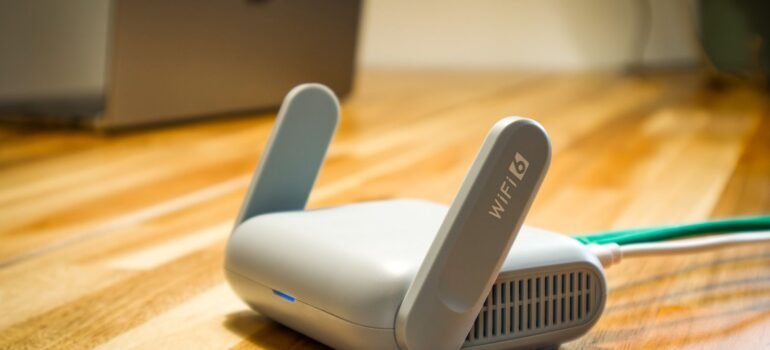
Router placement is the cheapest WiFi upgrade available, and the most commonly ignored. The box usually ends up wherever the cable entered the house — on the floor, behind the TV, inside a cupboard — and then every device in the home works around that decision. Moving it properly can change coverage noticeably without spending anything.
How WiFi actually spreads
Signal radiates outwards from the router in roughly a sphere, weakening with distance and losing strength each time it passes through something solid. That gives three simple consequences:
- A router in a corner wastes a large share of its coverage on the outside of your home
- Every wall, floor and large metal object between router and device costs you speed
- Height helps, because signal spreads downward and outward more usefully from above
The placement checklist
Put it as central as you can
The ideal spot is the middle of the area you want covered, not the middle of the floor plan on paper. If the family mostly uses the living room and two bedrooms, centre it on those.
Get it off the floor
Waist height or above. A shelf or table works well. Floor level sends much of the signal into the slab beneath you.
Keep it in the open
Not in a cupboard, not inside a TV unit, not behind books. Enclosed spaces absorb signal and trap heat, and routers behave worse when they run hot.
Stay away from interference
Microwaves, cordless phone bases, Bluetooth speakers, large mirrors, metal almirahs and water storage all disrupt WiFi. Water and metal are particularly effective at blocking it.
Leave the antennas alone, mostly
If your router has external antennas, upright generally suits a single floor. In a two-storey home, angling one antenna horizontally can help the signal reach the floor above.
Multi-storey homes and long layouts
An independent house over two or three floors is the hardest case for a single router. If the connection enters on the ground floor, the top floor is often two slabs away — and concrete is very effective at stopping WiFi.
Worth trying first, in this order:
- Move the router to the middle floor if the cabling allows it. One slab in each direction beats two in one.
- Place it near a stairwell. Open vertical space is one of the few easy paths signal has between floors.
- Only then consider extra hardware. Mesh systems and extenders solve genuine coverage gaps, but they are not a substitute for sensible placement, and an extender repeating an already weak signal simply spreads a weak signal further.
How to test whether you improved anything
Pick two or three fixed spots — the far bedroom, the kitchen, the terrace — and run a speed test in each before you move the router. Move it, wait a minute for devices to reconnect, then repeat the same tests in the same spots. Compare numbers rather than impressions; WiFi feels faster right after you have fiddled with it whether or not anything changed.
When placement is not the problem
If the speed is also poor on a device sitting right beside the router, no amount of repositioning will help — that points at the connection, the router hardware or the device. Our guide on why your WiFi is slow on a high-speed plan walks through how to tell those apart, and seven signs your home WiFi needs attention covers the warning signs worth acting on.
Every Digital Fiber connection includes a dual-band WiFi router set up by our technician, who will place it sensibly during installation. If your coverage is poor and you have already tried the steps above, call 91009 10065 or WhatsApp 98823 69882.